Introduction
If you’ve come across the term “URL Encoder SpellMistake,” you’re probably a little confused. Is it a tool? A feature? Some kind of bug? You’re not imagining the confusion — the phrase itself is misleading, and most articles online don’t explain it well enough.
Here’s the short version: a URL encoder and a spell checker are two completely different things. One converts characters into web-safe format. The other corrects typing errors. They do not overlap. Mixing them up — or expecting one to do the job of the other — leads to broken links, failed requests, and a lot of wasted time.
This article breaks everything down clearly. By the end, you’ll know exactly what URL encoding is, what spell mistakes in URLs look like, why the two get confused, and — most importantly — how to avoid the problems that come from mixing them up.
1. What Is a URL Encoder? — The Simple Explanation
Before anything else, let’s understand what URL encoding actually is.
Every web address — or URL — has to follow strict formatting rules. Browsers and servers only understand a limited set of characters. Things like spaces, question marks, ampersands, and letters from non-English alphabets are not automatically safe inside a URL.
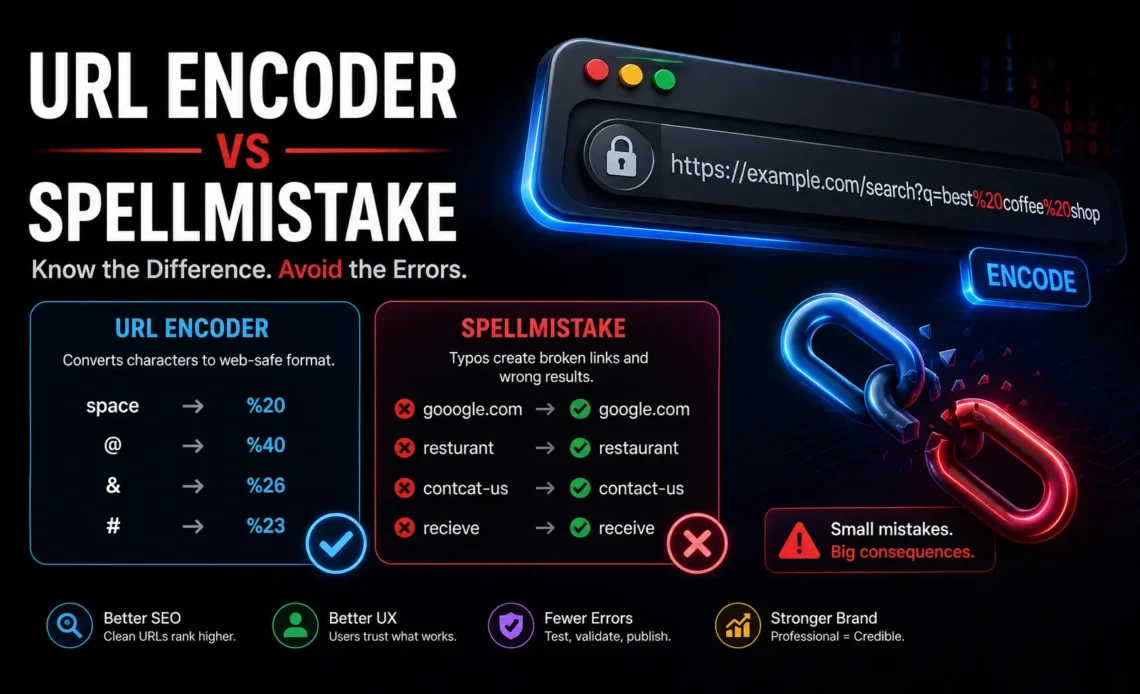
So when you need to include those characters, they get converted into a coded format called percent-encoding. Here’s how that looks in practice:
- A space becomes %20
- The @ symbol becomes %40
- An ampersand & becomes %26
- A hash # becomes %23
So a URL like https://example.com/search?q=best coffee shop becomes https://example.com/search?q=best%20coffee%20shop after encoding.
This is not optional in many situations. It’s a fundamental part of how the web works. APIs, search queries, form submissions, and dynamic web pages all rely on proper URL encoding to function correctly.
What URL encoding does NOT do: It does not read the text. It does not understand language. It does not correct errors. It only transforms characters into a safe format — whatever text was there before encoding stays exactly the same after encoding, mistakes and all.
2. What Is a SpellMistake in a URL? — And Why It Matters
A “spell mistake” in a URL is simply a typing error somewhere in the web address or its parameters. These can happen in several places.
In the domain name itself. Someone types gooogle.com instead of google.com, or amazom.com instead of amazon.com. These are different addresses entirely. The browser will either show an error or, in some cases, redirect to a completely unintended site.
In the URL path. A path like /contcat-us instead of /contact-us will return a 404 error — the page simply doesn’t exist at that address.
In query parameters. If a search field sends q=recieve when the correct spelling is q=receive, search engines and databases may return fewer results or none at all, depending on how they handle misspelled queries.
In anchor text or slugs. Blog posts and articles often use URL slugs derived from their titles. A slug like /wat-is-url-encodng instead of /what-is-url-encoding looks unprofessional and can affect how search engines index the page.
All of these are human errors — and no amount of encoding will fix them.
3. Where the Confusion Comes From — Why People Mix These Up
The phrase “URL Encoder SpellMistake” exists because people genuinely confuse these two processes. It’s worth understanding why, because the confusion is understandable.
Modern tools have blurred the lines. Word processors auto-correct spelling. Search engines guess what you meant. Voice assistants fix your errors before you finish speaking. After years of technology quietly correcting mistakes in the background, people naturally assume that URL encoding tools do something similar.
They don’t. URL encoders are purely mechanical. They take input and transform it character by character. There’s no intelligence involved in the process.
Misleading tool descriptions online. Some websites label their tools poorly. You’ll find pages that say “URL Encoder — Fix Your URL Issues” which makes it sound like encoding solves all URL problems, including spelling. It doesn’t. Encoding fixes character compatibility problems. It has nothing to do with whether the words in the URL are spelled correctly.
The output looks “fixed.” When you encode a URL, the result looks cleaner and more technical. Spaces become %20, symbols get converted, and the whole thing looks like it’s been processed. It creates a false impression that the URL has been “cleaned up” in every sense — including spelling. It hasn’t.
4. A Real-World Example — Seeing the Problem Clearly
Let’s walk through a concrete example so this is impossible to misunderstand.
You’re building a website for a restaurant and you create a search feature. A user types in: best resturant near me
Note the spelling error: “resturant” instead of “restaurant.”
When your system encodes that query for the URL, it becomes: best%20resturant%20near%20me
The space has been encoded. The error has not. Your server receives a request for “resturant” — and depending on your database, it either returns wrong results, fewer results, or nothing at all.
Now imagine this at scale. An e-commerce site where product names are misspelled in URLs. A travel booking platform where destination names have typos. A blog where post slugs contain errors. Every single one of those issues is invisible to a URL encoder — because encoding was never designed to catch them.
5. The Real Impact — Why This Is Not Just a Minor Annoyance
Small spelling mistakes in URLs can have consequences that go well beyond a single broken link.
SEO damage. Search engines use URLs as signals when ranking pages. A misspelled URL slug means your page may not appear when people search for the correctly spelled term. You lose organic traffic that should have been yours.
Broken user experience. When someone clicks a link and hits a 404 error because of a misspelled path, trust drops immediately. They leave. Most never come back.
API failures. If you’re passing misspelled parameters to an external API, the request will either fail silently or return empty data. Debugging this is time-consuming precisely because the URL looks “correctly encoded” — developers often spend hours looking for a technical error when the issue is just a typo.
Duplicate content problems. If a page accidentally gets published with both a correct and misspelled URL, search engines may treat them as two separate pages with identical content — which is penalized.
Brand credibility. A typo in a URL looks careless. It signals to users that the website isn’t well-maintained, which affects how they perceive everything else about your brand.
6. How to Avoid URL Encoder SpellMistake Issues — A Practical Workflow
The fix is not complicated. It requires separating two processes that should never have been mixed up in the first place.
Step one: Write the text correctly first. Before you even think about encoding, make sure every word in your URL — the path, the slug, the query parameters — is spelled correctly. Use a spell checker on the raw text before it becomes part of a URL.
Step two: Then encode. Only after you’ve verified the spelling, apply URL encoding. At this point, encoding does exactly what it’s supposed to — converts characters without introducing or hiding any errors.
Step three: Test the URL. Paste the final encoded URL into a browser or test it with a tool that checks whether the link resolves correctly. Don’t assume encoding equals working.
Step four: For developers — validate inputs. If your application generates URLs dynamically based on user input, add a validation step that checks spelling or at minimum flags unusual character sequences before the URL is created.
Step five: Use slug generators carefully. Many CMS platforms like WordPress automatically generate URL slugs from page titles. If the title has a typo, the slug will too. Always review auto-generated slugs before publishing.
7. The Role of Tools — What They Can and Cannot Do
There are many tools online that handle URL encoding, and some more advanced platforms combine multiple features. It helps to understand what each type actually offers.
Pure URL encoders take your input and convert it character by character. They do nothing else. They’re accurate and fast for their specific purpose, but they will happily encode a misspelled word without any warning.
Spell checkers analyze language against a dictionary and flag words that don’t match known spellings. Some can also suggest corrections. They’re entirely separate from any URL-related functionality.
SEO tools and URL auditors go a step further. They analyze your URLs for issues including spelling, structure, length, keyword presence, and technical formatting. These are the tools that actually bridge both concerns — they evaluate URLs as a whole, not just encode them.
Browser address bars in modern browsers often do light spell-checking on typed URLs and may suggest corrections for common domains. But this only helps when a human is typing the URL manually — it does nothing for URLs generated programmatically.
The takeaway: use the right tool for the right job. A URL encoder is not a Swiss Army knife.
8. Best Practices for Clean, Error-Free URLs
Beyond fixing the confusion between encoding and spelling, here are the broader best practices that apply every time you’re working with URLs.
Keep URLs short and descriptive. A URL like /what-is-url-encoding is better than /article?id=4827&cat=tech&ref=homepage. Short URLs are easier to read, share, and remember — and they’re less likely to contain errors.
Use hyphens, not underscores. Search engines read hyphens as word separators. Underscores can cause words to be read as one combined term.
Stick to lowercase. URLs are case-sensitive on most servers. /Contact-Us and /contact-us can be two different pages. Always use lowercase consistently.
Avoid special characters where possible. Symbols like !, *, ‘, and ( are technically allowed in some parts of a URL but create unnecessary complexity. Keep your URLs clean.
Review URLs before they go live. Whether it’s a blog post, a product page, or an API endpoint, take thirty seconds to manually read the URL before publishing or deploying. It’s the simplest check that catches the most mistakes.
9. URL Encoding in Development — A Slightly Deeper Look
For developers and technical users, URL encoding comes up constantly in real work. Here’s where it tends to matter most and where spelling mistakes are most likely to slip through unnoticed.
REST API calls. When you’re making GET requests with parameters, those parameters need to be encoded. A parameter like city=New York must become city=New%20York. But if you’ve stored a misspelled city name in your database — say, city=Nwe York — encoding will produce city=Nwe%20York. The request goes through. The data is wrong.
Form submissions. HTML forms encode data automatically before submitting. If a user submits a misspelled search term, it gets encoded and sent exactly as typed. The server receives the misspelled version with no indication anything is wrong.
Redirects and canonical URLs. If your site has redirect rules and the destination URL contains a typo, the redirect will silently point to a broken or nonexistent page. This is one of the harder bugs to catch because the redirect itself works — it just sends users to the wrong place.
Link building and marketing campaigns. If you create a custom URL for a marketing campaign — say, yourdomain.com/summre-sale instead of /summer-sale — every person who clicks that link hits a broken page. The campaign fails not because of a technical error but because of one missed letter.
Conclusion
The concept behind “URL Encoder SpellMistake” is a useful reminder that tools have limits — and knowing those limits is just as important as knowing how to use the tools.
URL encoding is a precise, technical process that makes web addresses safe to transmit. It is not a language tool. It doesn’t know what words mean or whether they’re spelled correctly. It will faithfully encode a mistake and pass it forward without any warning.
Spelling accuracy is a separate responsibility. It belongs in your writing process, your content review, your input validation, and your pre-deployment checks — not in your encoding step.
Keep them separate, handle each one properly, and you’ll avoid a category of errors that trips up beginners and experienced developers alike. Clean text first, then encode. In that order, every time.
FAQs
Q1. What does “URL Encoder SpellMistake” actually mean?
It refers to the common misunderstanding that URL encoding tools can also fix spelling errors. They can’t — the phrase describes a confusion between two unrelated processes.
Q2. Will a URL encoder correct a typo in my URL?
No. A URL encoder converts characters into a web-safe format. It processes text exactly as it is — including any spelling mistakes.
Q3. Why do misspelled URLs cause 404 errors?
Because the server looks for a file or page at the exact path specified. If the path contains a typo, it doesn’t match any real page, so the server returns a “not found” error.
Q4. Does spelling in a URL affect SEO?
Yes. Misspelled slugs can prevent your page from ranking for the correctly spelled search term, reduce click-through rates, and create duplicate content issues if both versions of the URL exist.
Q5. What’s the right order: spell check first or encode first?
Always spell check first, then encode. Encoding after spelling is verified ensures you’re creating a clean, accurate, and functional URL.
Q6. Can any tool handle both spelling and encoding at once?
Some advanced SEO auditing tools analyze URL quality as a whole, including spelling issues. But even then, encoding and spell-checking are handled as separate functions internally. Understanding that distinction keeps your workflow clean.
